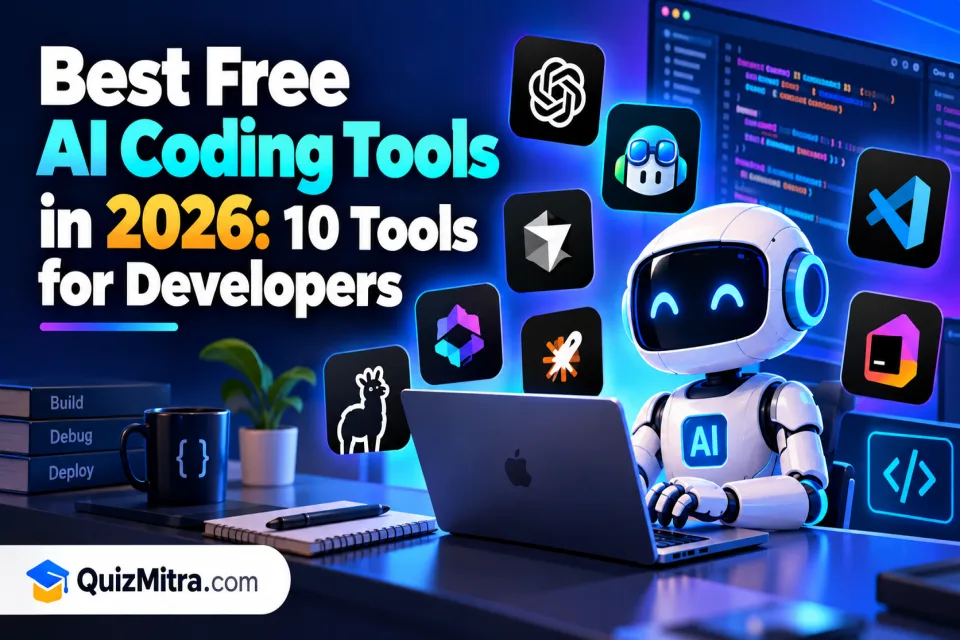
AI coding tools are changing how developers build websites, applications, APIs and software projects. Tasks that once required hours of searching documentation, writing repetitive code and debugging errors can now be supported by an AI coding assistant.
The good news is that you do not always need a paid subscription to get started. Several AI coding tools offer free plans, open-source extensions or ways to connect your own AI model. However, free does not always mean unlimited: some tools restrict requests, premium models, agent features or monthly usage.
In this guide, we compare 10 AI coding tools for 2026, including their main strengths, ideal users and limitations. Whether you are learning JavaScript, building a Laravel application, developing a React frontend or maintaining a large codebase, this list will help you choose a tool that fits your workflow.
Important: Free-plan features and usage limits can change. Check each provider's official pricing page before choosing a tool for regular development work.
Table of Contents
Quick Comparison of 10 AI Coding Tools
Start with this table to narrow down your options. The tools below use different approaches: some work directly inside an editor, some can modify multiple files, and others provide a cloud-based coding environment.
| Tool | Best For | Free Access | Skill Level |
|---|---|---|---|
| GitHub Copilot | Code completion and everyday coding | Limited free plan | Beginner to advanced |
| Cursor | AI-powered code editing | Limited free plan | Beginner to advanced |
| Cline | Agentic coding inside supported editors | Extension is free; model usage may cost money | Intermediate to advanced |
| Roo Code | Customizable AI coding workflows | Free extension; model usage may cost money | Intermediate to advanced |
| Continue | Customizable coding assistance | Open-source options; model costs may apply | Intermediate to advanced |
| Aider | Terminal-based coding with Git | Open-source; model usage may cost money | Intermediate to advanced |
| Amazon Q Developer | AWS development and coding assistance | Free tier with limits | Beginner to advanced |
| Replit | Browser-based development and prototypes | Free access may have usage limits | Beginner to intermediate |
| Zed | Fast code editing and AI-assisted workflows | Free editor; AI access depends on the feature and model | Intermediate to advanced |
| OpenAI Codex | Delegating coding tasks to an AI coding agent | Access depends on current plan and availability | Intermediate to advanced |
Open-source software can be free to install without making the AI model free to use. For example, a coding extension may require an API key from a separate provider, and those API requests can incur charges.
1. GitHub Copilot
GitHub Copilot is an AI coding assistant designed to help developers write, understand and improve code. Depending on the editor and features available to your account, it can suggest code while you type, answer programming questions and assist with development tasks.
Best features
- Code completion while typing
- Help understanding unfamiliar code
- Assistance with common programming tasks
- Integration with supported development environments
Who should use it?
GitHub Copilot is a practical starting point for developers who want AI suggestions without changing their entire coding workflow. It can be useful for JavaScript, Python, PHP, TypeScript and many other languages.
Free-plan limitation
The free plan has usage limits, and premium features may require a paid subscription. Check the current plan details before relying on it for daily professional work.
2. Cursor
Cursor is an AI-focused code editor designed to make it easier to understand and modify code across a project. It is useful when you want to ask questions about your codebase, generate changes and work through tasks without manually editing every line.
Best features
- AI-assisted code editing
- Codebase-aware questions and answers
- Help generating and refactoring code
- Support for iterative development workflows
Who should use it?
Cursor is worth considering if you frequently work on existing projects and need help understanding multiple files. It can be particularly useful for frontend development, API integration and debugging.
Free-plan limitation
Cursor offers limited free access, while higher usage and some premium capabilities require a paid plan. Review its current pricing and usage restrictions before selecting it as your primary editor.
3. Cline
Cline is an open-source AI coding agent that can work with supported development environments. Rather than only suggesting the next line of code, an agentic workflow can help plan a task, propose changes across files and use supported tools to carry out development steps.
Best features
- Multi-file coding tasks
- AI-assisted debugging and refactoring
- Reviewable changes and tool interactions
- Flexibility to configure supported model providers
Who should use it?
Cline is useful for developers who want more control over how an AI agent works on a project. It may suit developers maintaining Laravel applications, React interfaces, Node.js APIs or other multi-file codebases.
Free-plan limitation
The extension is available as open-source software, but model access is a separate consideration. If you connect a paid API provider, usage can generate charges. Local models may avoid API charges but require suitable hardware and configuration.
4. Roo Code
Roo Code is an AI coding assistant focused on configurable, agent-based development workflows. It can help developers break down tasks, edit files and use different approaches for different types of programming work.
Best features
- Configurable coding workflows
- Assistance with multi-step programming tasks
- Help with code changes and debugging
- Choice of supported model configurations
Who should use it?
Roo Code may suit developers who like experimenting with AI agents and want to configure their development workflow instead of relying on a single fixed assistant.
Free-plan limitation
The extension and the underlying AI service have separate cost considerations. Confirm supported integrations, model availability and any provider charges before using it extensively.
5. Continue
Continue provides customizable AI coding assistance for supported developer environments. It is designed for people who want to adapt their AI setup to their preferred models and tools.
Best features
- Customizable AI coding workflows
- Code assistance in supported editors
- Options for connecting different models
- Useful building blocks for developer workflows
Who should use it?
Continue can be a good fit for developers who want flexibility, including those who prefer to experiment with open-source models or configure a coding assistant around their existing tools.
Free-plan limitation
Open-source components do not guarantee unlimited free model usage. Your total cost depends on the model, hosting setup, provider and configuration you choose.
6. Aider
Aider is an open-source AI pair-programming tool designed to work from the terminal with a codebase. It can help you make changes to existing files and integrate those changes into a Git-based development workflow.
Best features
- Terminal-based coding assistance
- Working with existing project files
- Git-oriented development workflows
- Help implementing and refining code changes
Who should use it?
Aider is worth exploring if you are comfortable with the command line and Git. It can be useful for backend developers, maintainers and programmers who prefer a terminal-based workflow over a dedicated AI editor.
Free-plan limitation
Aider is open source, but the AI model it connects to may require paid API access. Check the supported model setup and expected costs before starting a long coding session.
7. Amazon Q Developer
Amazon Q Developer is an AI assistant from AWS that helps developers understand, build and work with software, particularly in AWS-related environments. It also provides coding assistance through supported development tools.
Best features
- Assistance with AWS development tasks
- Help understanding AWS services and documentation
- Code suggestions and development support
- Assistance with selected AWS automation workflows
Who should use it?
Amazon Q Developer is a sensible option for developers building applications on AWS or working with AWS infrastructure. It may be less essential if your work rarely involves AWS services.
Free-plan limitation
Amazon Q Developer offers a free tier with monthly limits, while the Pro tier provides higher limits and additional capabilities. Review the current official documentation for exact restrictions.
8. Replit
Replit is a browser-based development platform that lets users create and run projects without setting up a complete local development environment first. Its AI features can assist with prototyping and building applications.
Best features
- Browser-based coding environment
- Quick prototypes and small projects
- AI-assisted development features
- Convenient starting point for learning and experimentation
Who should use it?
Replit can be useful for beginners who want to experiment with an idea quickly, as well as developers who need a convenient online environment for prototypes.
Free-plan limitation
AI usage, compute, deployments and other platform features may have different restrictions. Confirm the current free plan before using Replit for a production application.
9. Zed
Zed is a modern code editor focused on speed and a streamlined developer experience. It also supports AI-assisted workflows, making it an option for developers who want an editor that combines code editing with AI capabilities.
Best features
- Fast code editing
- Modern developer interface
- AI-assisted coding options
- Support for collaborative development features
Who should use it?
Zed is worth testing if editor performance and a focused coding environment matter to you. Check language support, available integrations and compatibility with your current workflow.
Free-plan limitation
The editor's availability and the cost of AI features are separate questions. Check the current pricing and supported model options to determine which capabilities you can use without paying.
10. OpenAI Codex
OpenAI Codex is an AI coding agent designed to help with software development tasks. Depending on the available product and setup, coding agents can work through tasks such as implementing features, fixing bugs and reviewing proposed changes.
Best features
- Assistance with software development tasks
- Help implementing and modifying code
- Support for debugging and code review workflows
- Useful for delegating well-defined coding tasks
Who should use it?
Developers who want to delegate defined tasks to a coding agent can explore Codex. Before choosing it, check the current product requirements, supported environment and access available through your account.
Free-plan limitation
Do not assume that every Codex capability is available for free. Access and usage limits depend on the current product offering and plan. Check the official page before relying on it as a zero-cost solution.
How to Choose the Right Free AI Coding Tool
The right tool depends on your experience, project size, programming language and preferred development environment. You do not need to install all ten tools to become productive.
For beginners learning to code
Start with GitHub Copilot or a beginner-friendly online environment such as Replit. Ask the assistant to explain code line by line, show a small example and give you a practice task. Avoid accepting code you cannot explain.
For frontend developers
If you build websites with HTML, CSS, JavaScript, React or Next.js, consider Cursor or GitHub Copilot. Test how well each tool understands your component structure, styles, routing and existing project conventions.
For backend developers
Developers working with Laravel, PHP, Node.js, Python or databases can benefit from code completion, debugging help and codebase-aware assistants. Cline, Aider, Continue and Cursor are options to evaluate based on your workflow.
For AWS developers
Consider Amazon Q Developer if you work regularly with AWS services, infrastructure configuration or AWS-based application development.
For developers who want open-source options
Explore Cline, Roo Code, Continue and Aider. Compare the cost of the model provider, local hardware requirements, setup complexity and privacy implications before choosing.
How to Use AI Coding Tools Safely
AI-generated code can contain bugs, insecure patterns, outdated APIs and incorrect assumptions. Treat the output as a proposed change that needs review, not as automatically production-ready code.
- Review every change: understand what the generated code does before merging it.
- Use version control: commit your work before allowing an AI agent to make large changes.
- Run tests: execute relevant unit tests, integration tests and manual checks.
- Protect secrets: never paste passwords, API keys, private credentials or sensitive customer data into an AI tool without an approved security setup.
- Check dependencies: review newly added packages, versions and licenses.
- Limit permissions: inspect terminal commands and file operations before approving them.
- Test security-sensitive code: pay particular attention to authentication, authorization, database queries, file uploads and payment flows.
For production projects, use a staging environment and back up important data before applying substantial AI-generated changes.
Frequently Asked Questions
What is the best free AI coding tool in 2026?
There is no single best tool for every developer. GitHub Copilot and Cursor are worth considering for everyday coding, while Cline, Continue and Aider are useful options for developers who want more control over their workflow. Compare their current free access and limitations before deciding.
Are AI coding tools completely free?
Some are open source, and others offer free plans. However, an open-source extension may still require a paid model API, while commercial free plans may limit requests or features. Check the full setup cost, not just the editor's price.
Can beginners use AI coding tools?
Yes. Beginners can use AI tools to understand programming concepts, get code explanations and debug errors. They should still learn the fundamentals and test the code instead of relying on generated answers without understanding them.
Can AI coding tools build an entire website?
AI tools can help generate pages, components, APIs and other parts of a website. A complete, reliable website still requires requirements planning, integration, testing, security checks, deployment and ongoing maintenance.
Are AI coding tools safe for professional projects?
They can be useful in professional development when supported by code review, testing, appropriate permissions and security controls. Never assume AI-generated code is secure simply because it compiles or appears to work.
Can I use AI coding tools with Laravel and React?
Yes. Many coding assistants can help with Laravel controllers, migrations, models, React components, TypeScript, API integrations and debugging. Results depend on the model, project context and quality of your instructions.
Final Verdict: Which Free AI Coding Tool Should You Choose?
The best AI coding tool is the one that helps you solve real development problems without adding unnecessary complexity or cost.
- GitHub Copilot: a practical starting point for everyday coding assistance.
- Cursor: worth testing for AI-assisted editing across an existing codebase.
- Cline or Roo Code: useful for developers interested in configurable agentic workflows.
- Continue or Aider: good options to explore for customizable and open-source workflows.
- Amazon Q Developer: a relevant option for AWS-focused development.
- Replit: convenient for browser-based learning and prototyping.
Start with one tool, test it on a small project and measure whether it genuinely saves time. Compare the quality of its output, how often you need to correct it and whether the free limits fit your routine.
Explore more developer tools through the QuizMitra Developer Tools AI directory and discover additional tools in the Coding AI category.
Quiz Mitra — Learn. Play. Compete.