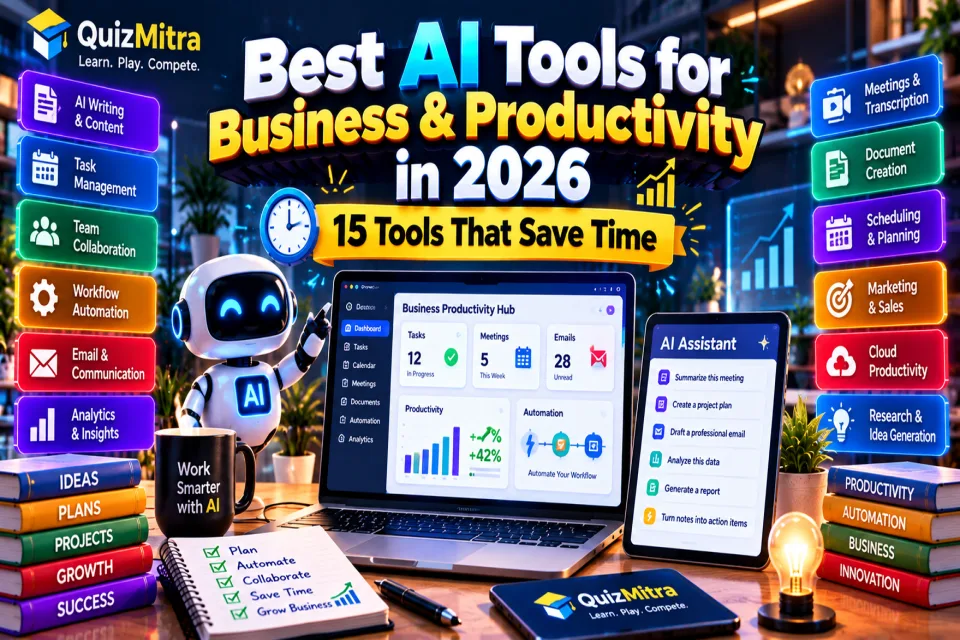
Running a business usually does not get difficult because of one big task. It is the hundred small things around the real work — emails, meetings, follow-ups, documents, reports, scheduling, project updates and repetitive admin.
That is where AI has become genuinely useful.
The best business AI tools are not necessarily the ones with the most impressive demos. They are the ones that quietly remove work from your day without creating another complicated system to manage.
In 2026, AI productivity tools cover almost every part of a modern workday: writing, meetings, project management, team communication, scheduling, research, documents and workflow automation.
This guide looks at 15 AI tools for business and productivity and, more importantly, explains where each one fits.
Table of Contents
- What Makes an AI Productivity Tool Useful?
- Best AI Tools for Business and Productivity in 2026
- ChatGPT
- Microsoft 365 Copilot
- Google Workspace with Gemini
- Notion AI
- ClickUp
- Slack
- Zapier
- Fireflies.ai
- Otter.ai
- Grammarly
- Claude
- Perplexity
- Motion
- Canva
- HubSpot AI
- Which AI Tool Should Your Business Choose?
- How to Use AI Without Creating More Work
- AI Productivity Mistakes Businesses Should Avoid
- Are AI Business Tools Worth Paying For?
- Frequently Asked Questions
- Final Thoughts
What Makes an AI Productivity Tool Useful?
AI has made it easy to find software that promises to make you more productive. The harder part is finding something that actually improves the way you work.
Before adding another AI tool to your business, ask:
- Does it remove a repetitive task?
- Does it work with the software my team already uses?
- Does it save meaningful time every week?
- Can employees understand it without extensive training?
- Does it keep business information secure?
- Can I measure whether it is actually helping?
The last question is often ignored. If a new AI tool saves five minutes but creates another thirty minutes of administration, it is not really improving productivity.
Best AI Tools for Business and Productivity in 2026
| Tool | Best For | Ideal User |
|---|---|---|
| ChatGPT | General business work | Individuals & teams |
| Microsoft 365 Copilot | Office and workplace tasks | Microsoft 365 users |
| Google Workspace with Gemini | Documents, email and meetings | Google Workspace teams |
| Notion AI | Knowledge and documentation | Teams & knowledge workers |
| ClickUp | Projects and task management | Teams & project managers |
| Slack | Team communication | Remote & distributed teams |
| Zapier | Workflow automation | Businesses & operations teams |
| Fireflies.ai | Meeting notes | Sales & business teams |
| Otter.ai | Transcription | Meetings & interviews |
| Grammarly | Business writing | Professionals & marketers |
| Claude | Documents and reasoning | Knowledge workers |
| Perplexity | Research | Professionals & researchers |
| Motion | Scheduling and planning | Managers & professionals |
| Canva | Visual business content | Marketing teams |
| HubSpot AI | Marketing and CRM workflows | Sales & marketing teams |
1. ChatGPT — Best General-Purpose Business AI
ChatGPT is one of the most flexible options for everyday business work because it is not tied to one particular department.
A marketing employee can use it for campaign ideas. A developer can use it to understand code. A manager can use it to structure a project plan. A sales professional can use it to prepare for a meeting.
That flexibility is its biggest advantage — and also its biggest limitation. A general AI assistant still needs good context and clear instructions.
Best for: Writing, brainstorming, analysis, research, planning and general business assistance.
2. Microsoft 365 Copilot — Best for Microsoft Teams
If your company already lives inside Word, Excel, Outlook and Teams, an AI assistant integrated into that environment can be more useful than a separate chatbot.
Microsoft 365 Copilot brings AI assistance into supported Microsoft 365 workflows for documents, email, meetings and analysis.
QuizMitra currently describes Microsoft 365 Copilot as a productivity-focused tool for documents, email, meetings, analysis and workplace tasks. Availability depends on the organization's Microsoft 365 setup and licensing. :chatgpt-content-reference{index="1"}
Best for: Businesses already using Microsoft 365 heavily.
3. Google Workspace with Gemini — Best for Google-Based Teams
Google Workspace with Gemini takes a similar approach for organizations working primarily with Gmail, Docs, Sheets, Meet and other Google Workspace products.
The main advantage is context. Instead of constantly moving information from one application to another, AI assistance can sit closer to the work your team is already doing.
QuizMitra currently lists Google Workspace with Gemini as a productivity AI solution for drafting, summarizing, analyzing and organizing everyday work. Feature availability varies by Workspace edition and account. :chatgpt-content-reference{index="2"}
Best for: Google Workspace users, startups and distributed teams.
4. Notion AI — Best for Company Knowledge
Businesses accumulate information quickly: meeting notes, project documentation, processes, product ideas, research and internal guides.
Notion AI becomes useful when that information already lives inside Notion. It can help summarize pages, rewrite content, create action items and turn rough notes into more structured documents.
QuizMitra currently lists Notion AI as a freemium tool with AI writing, summarization, workspace search and document-drafting workflows. :chatgpt-content-reference{index="3"}
Best for: Knowledge management, documentation and team workspaces.
5. ClickUp — Best for Project and Task Management
Project management becomes messy when nobody knows who owns a task, what is due next or why something is blocked.
ClickUp combines tasks, projects, documents, goals and dashboards with AI features that can help summarize information, work with tasks and retrieve information.
QuizMitra currently lists ClickUp as a Productivity AI tool for tasks, projects, documents, goals, collaboration and AI-assisted workflow management. :chatgpt-content-reference{index="4"}
Best for: Project managers, agencies and teams handling multiple projects.
6. Slack — Best for Team Communication
Slack is primarily a communication platform, but its AI capabilities can make large volumes of team conversations easier to manage.
AI-assisted summaries and information retrieval can be useful when a project has hundreds of messages spread across multiple channels.
QuizMitra currently lists Slack as a Productivity AI tool with AI assistance, search, information retrieval and collaboration features. :chatgpt-content-reference{index="5"}
Best for: Communication-heavy teams and remote organizations.
7. Zapier — Best for Workflow Automation
Some of the biggest productivity improvements do not come from writing faster. They come from eliminating repetitive actions altogether.
For example, a business might automatically move information between a form, CRM, spreadsheet, email platform and project-management system instead of asking an employee to copy everything manually.
Zapier is particularly useful when your business depends on several different software products that need to work together.
Best for: Automation, operations and repetitive workflows.
8. Fireflies.ai — Best for Meeting Notes
Meetings generate a lot of information, but much of it disappears as soon as the call ends.
AI meeting assistants can transcribe conversations, summarize discussions and help identify action items so the team does not have to rely entirely on someone's handwritten notes.
This can be especially useful for sales calls, client meetings, interviews and recurring team discussions.
Best for: Meeting notes, summaries and follow-ups.
9. Otter.ai — Best for Transcription
Otter.ai focuses heavily on transcription and meeting-related workflows.
For teams that regularly conduct interviews, meetings, research calls or presentations, having searchable transcripts can make information much easier to revisit later.
Always make sure participants know when meetings are being recorded or transcribed and follow applicable company and privacy policies.
Best for: Transcription, interviews, meetings and searchable conversation records.
10. Grammarly — Best for Business Writing
Not every business needs AI to generate a complete article or email. Sometimes the useful part is simply making existing writing clearer.
Grammarly can help with grammar, spelling, clarity, tone and rewriting. QuizMitra currently lists it as a freemium Writing AI tool with browser and desktop support. :chatgpt-content-reference{index="6"}
It is particularly useful for people who write emails, reports, proposals, marketing material or customer communication throughout the day.
Best for: Emails, reports, proposals and professional communication.
11. Claude — Best for Long Documents and Analysis
Some business tasks require more than a quick answer. You may need to understand a long document, compare information, restructure a report or think through a complicated problem.
Claude is particularly useful for these longer knowledge-work tasks.
For business users, the important advantage is not simply writing. It is having an AI assistant that can work through substantial amounts of context and help organize complex information.
Best for: Long documents, analysis, research and knowledge work.
12. Perplexity — Best for Fast Research
Business decisions often start with research: competitors, markets, products, regulations, technologies or potential customers.
Perplexity is designed around search and research workflows, making it useful when you want to investigate a question and follow sources rather than simply ask a chatbot for an answer.
Best for: Market research, competitor research and information discovery.
13. Motion — Best for Scheduling and Planning
A calendar can look organized while your actual workload is completely unrealistic.
AI scheduling tools such as Motion focus on connecting tasks, deadlines and available time so that your workday becomes more structured.
This is particularly useful for managers, founders, consultants and professionals who have many competing priorities.
Best for: Scheduling, planning and time management.
14. Canva — Best for Business Visuals
Marketing teams rarely need a professional designer for every small visual. Social posts, presentations, simple advertisements and internal graphics still need to be produced quickly.
Canva's AI-assisted design features can help teams move from an idea to a usable visual without starting every project from a blank canvas.
Best for: Presentations, social media, marketing graphics and simple business designs.
15. HubSpot AI — Best for Marketing and Customer Workflows
For businesses, productivity is not only about internal tasks. Sales and marketing teams also spend large amounts of time creating content, researching customers, managing leads and following up.
AI features inside CRM and marketing platforms can be useful because the AI is working closer to the customer information and workflow rather than operating as a completely separate tool.
Best for: Marketing, sales, CRM and customer workflows.
The best productivity tool is the one that removes work from your process — not the one that adds another dashboard.
Which AI Tool Should Your Business Choose?
You probably do not need all 15 tools listed above.
In fact, adding too many AI products can create another problem: information gets scattered across different platforms and employees start spending time maintaining the tools instead of doing their work.
For a Small Business
Start with one general AI assistant, one productivity or project-management platform and one automation tool. That is usually enough to identify the biggest repetitive tasks before expanding your stack.
For Microsoft 365 Teams
Microsoft 365 Copilot is worth evaluating first because it sits inside the environment your team already uses.
For Google Workspace Teams
Google Workspace with Gemini is a natural starting point when Gmail, Docs, Sheets and Meet are already central to the company's workflow.
For Project-Based Teams
ClickUp can be a stronger fit when the biggest problem is task ownership, project visibility and team coordination.
For Communication-Heavy Teams
Slack combined with an AI meeting assistant can help reduce the amount of information employees have to manually process.
For Marketing Teams
A combination of AI writing, research, design and CRM tools can cover much of the daily marketing workflow.
How to Use AI Without Creating More Work
This is where many companies get AI adoption wrong.
They introduce several tools at once, ask employees to learn them and then wonder why productivity has not improved.
A better approach is to start with the workflow.
- Find a repetitive task. Look for work employees perform every day or every week.
- Measure the current process. Understand how much time it takes before automating it.
- Choose the smallest useful AI solution. Do not buy an enterprise platform for a simple problem.
- Test it with a small team. Start with a real workflow instead of a theoretical experiment.
- Review the output. AI-generated work still needs human oversight.
- Measure the result. Check whether time, quality or business outcomes actually improved.
- Expand only when it works. Successful small workflows can gradually become larger systems.
AI Productivity Mistakes Businesses Should Avoid
1. Buying Too Many Tools
More software does not automatically mean more productivity. Start with the biggest bottleneck.
2. Automating a Bad Process
If a process is already confusing, automating it can simply make the confusion happen faster.
3. Trusting AI Without Review
AI can make factual, mathematical, contextual or judgment errors. Important business outputs should have an appropriate review process.
4. Ignoring Data Permissions
Before connecting an AI tool to company information, understand what data it can access, who can access the results and what controls the provider offers.
5. Measuring Only Time Saved
Saving time is useful, but it is not the only measure. Better customer service, fewer errors, faster decisions and higher-quality work can be more valuable than simply reducing minutes spent on a task.
Are AI Business Tools Worth Paying For?
They can be, but the answer depends on the workflow.
A $20 or $30 monthly tool can be excellent value if it removes several hours of repetitive work. On the other hand, an expensive platform that your team barely uses is simply another software expense.
Before paying, calculate the problem you are trying to solve. Estimate the time currently spent on it, test the AI workflow and compare the result against the subscription cost.
Also check data handling, integrations, user permissions, export options and cancellation terms before putting an AI tool into an important business process.
Explore Business & Productivity AI Tools on QuizMitra
QuizMitra has dedicated Business AI and Productivity AI categories where you can discover tools for business workflows, communication, automation, documents, project management and everyday work.
You can also explore the complete AI Tools Directory to find tools across business, productivity, writing, coding, education, SEO, image generation and video.
For ready-to-use workflows and business prompts, visit the AI Prompt Library.
Frequently Asked Questions
What are the best AI tools for business in 2026?
Some useful options include ChatGPT, Microsoft 365 Copilot, Google Workspace with Gemini, Notion AI, ClickUp, Slack, Zapier, Claude, Perplexity and HubSpot AI. The best choice depends on the workflow your business needs to improve.
What is the best AI productivity tool in 2026?
There is no single winner for every user. ChatGPT is useful as a general-purpose assistant, ClickUp is useful for project work, Notion AI for knowledge management, Motion for scheduling and Zapier for automation.
What is the best AI tool for small businesses?
Small businesses should usually start with tools that solve an immediate problem rather than buying a large collection of software. A general AI assistant, project-management tool and automation platform can cover many common workflows.
Can AI increase business productivity?
Yes, when it is applied to the right workflow. AI can reduce repetitive writing, summarize information, assist with research, automate routine tasks and help teams process meetings and documents faster.
Can AI replace employees?
AI can automate parts of jobs, but the impact depends heavily on the role and workflow. In many businesses, the more practical use is to remove repetitive work so employees can spend more time on decisions, customers, creative work and complex problems.
Are free AI business tools available?
Yes. Many AI products offer free plans or limited free usage. Paid plans generally provide higher limits, additional integrations, advanced features or business controls.
Is it safe to use AI with business data?
It depends on the specific product, plan and data-handling settings. Businesses should review privacy policies, security controls, permissions and data-retention terms before connecting sensitive information.
Final Thoughts
AI productivity in 2026 is less about finding one magical tool and more about building a sensible workflow.
A good AI setup might be surprisingly simple: one assistant for thinking and drafting, one system for managing work, one tool for communication and one automation layer for repetitive tasks.
The companies getting the most value from AI are not necessarily the ones using the largest number of tools. They are the ones that identify where people are wasting time and use AI to remove that friction.
Start small, measure the result and expand only when the improvement is real.
Quiz Mitra — Learn. Play. Compete.