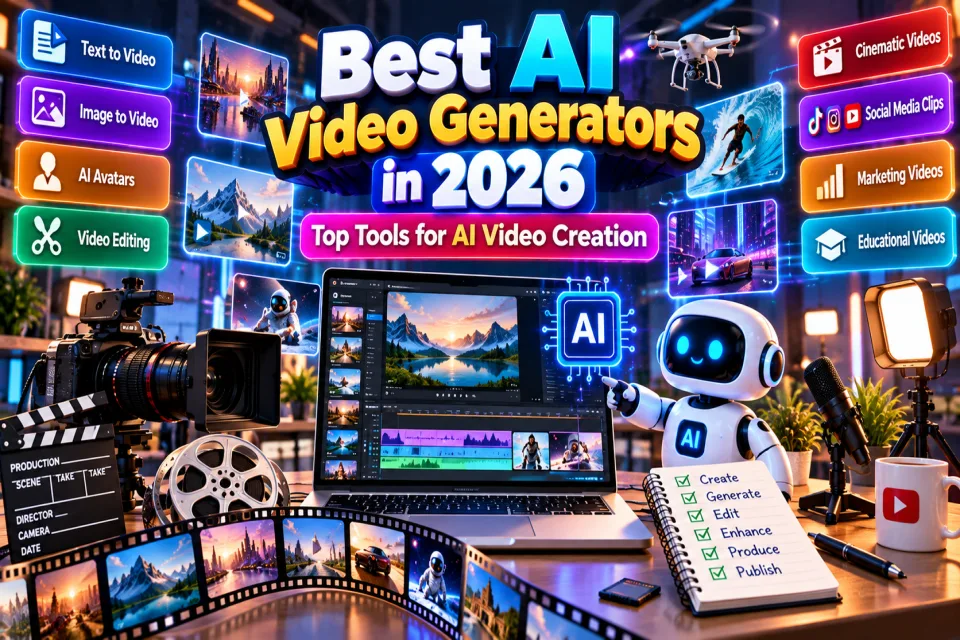
Artificial intelligence is changing the way videos are created. In 2026, creators no longer need a complete production team to turn an idea, script, image or prompt into an engaging video.
From text-to-video and image-to-video generation to AI avatars, automatic editing, social-media clips and cinematic video creation, AI video tools can significantly reduce production time.
In this guide, we explore the best AI video generators in 2026, what they are best suited for, and how to choose the right tool for your workflow.
Table of Contents
- What Are AI Video Generators?
- Best AI Video Generators in 2026
- Google Veo
- Runway
- Kling AI
- Luma Dream Machine
- Pika
- Hailuo AI
- Vidu
- CapCut
- HeyGen
- Synthesia
- DeepBrain AI
- Media.io AI Video Generator
- Freepik AI Video
- Vizard
- Gling
- How to Choose the Best AI Video Generator
- Tips for Creating Better AI Videos
- Are AI Video Generators Free?
- Frequently Asked Questions
What Are AI Video Generators?
AI video generators are tools that use artificial intelligence models to create, transform or edit video content. Depending on the platform, you may be able to start with a text prompt, image, script, existing video or other creative input.
Modern AI video tools can help with tasks such as:
- Text-to-video generation
- Image-to-video animation
- AI avatars and presenters
- Automatic video editing
- Short-form social videos
- Marketing videos
- Educational videos
- Product demonstrations
- Video repurposing
- Creative and cinematic experiments
QuizMitra's Video AI directory includes tools covering many of these workflows, from generative video platforms to AI-assisted editing and avatar-based video creation.
Best AI Video Generators in 2026
There is no single AI video generator that is perfect for everyone. The best choice depends on whether you want cinematic clips, social-media content, educational presentations, AI avatars, image animation or automated editing.
| AI Video Tool | Best For | Typical Workflow |
|---|---|---|
| Google Veo | Generative video | Text-to-video, image-to-video |
| Runway | Creative video production | Generative and AI-assisted workflows |
| Kling AI | Generative video | Text-to-video, image-to-video |
| Luma Dream Machine | Cinematic experimentation | Text-to-video, image-to-video |
| Pika | Short-form creative videos | Text-to-video, image-to-video, effects |
| Hailuo AI | Creative AI clips | Generative video |
| Vidu | Short AI videos | Text-to-video, image-to-video |
| CapCut | Social video editing | AI-assisted editing and captions |
| HeyGen | AI presenters | Script-to-video and avatars |
| Synthesia | Business and training | Presenter and avatar videos |
| DeepBrain AI | Digital presenters | Avatar and script-to-video |
| Media.io AI Video Generator | Creative video generation | Prompt and image-based workflows |
| Freepik AI Video | Creative content | Prompt and image-based generation |
| Vizard | Video repurposing | Long video to short clips |
| Gling | Creator workflows | AI-assisted video production |
1. Google Veo
Veo is Google's generative video technology designed for creating video from creative inputs. Depending on the available version and workflow, users can work with prompts, images and other supported inputs.
It is particularly interesting for creators who want to experiment with generated scenes, marketing content, educational material and cinematic concepts. QuizMitra's current listing describes Veo as focused on Google's generative video models, with text-to-video, image-to-video and prompt-based workflows. :chatgpt-content-reference{index="0"}
Best for: Generative video, creative concepts, marketing and educational content.
2. Runway
Runway is one of the well-known names in AI-assisted video creation. It is useful for creators and production teams experimenting with generative video and AI-powered production workflows.
For developers, Runway also provides API-oriented workflows that can connect AI video capabilities with applications and production pipelines. :chatgpt-content-reference{index="1"}
Best for: Creative professionals, video experiments and AI-powered production workflows.
3. Kling AI
Kling AI is designed around generative video workflows where users can create visual sequences from prompts and images. It is particularly interesting for creators experimenting with cinematic scenes, motion and AI-generated storytelling.
Best for: Generative video, cinematic concepts and creative storytelling.
4. Luma Dream Machine
Luma Dream Machine focuses on short generative video and image-to-video creation. It can be useful when you already have an image or visual concept and want to turn it into an animated sequence.
QuizMitra currently lists Luma Dream Machine as a freemium Video AI tool with text-to-video, image-to-video, prompt controls and API availability. :chatgpt-content-reference{index="2"}
Best for: Cinematic experiments, image animation and creative video concepts.
5. Pika
Pika focuses on short-form generative video and creative effects. It is a useful option for creators who want to experiment with quick visual concepts and social-media-friendly video.
Its current QuizMitra listing includes text-to-video, image-to-video, video generation, prompt controls and iteration workflows. :chatgpt-content-reference{index="3"}
Best for: Social content, short creative videos and visual effects.
6. Hailuo AI
Hailuo AI is focused on consumer generative video and creative clips. It can be useful for creators looking to experiment with AI-generated scenes and short-form visual content.
QuizMitra's current listing describes Hailuo AI as supporting text-to-video and image-to-video workflows, with a focus on creative video generation. :chatgpt-content-reference{index="4"}
Best for: Creative clips, social content and AI video experimentation.
7. Vidu
Vidu focuses on short AI video generation with reference images. This makes it useful for creators who want to maintain a visual starting point while experimenting with generated motion.
QuizMitra currently lists Vidu with text-to-video, image-to-video, prompt controls and API availability. :chatgpt-content-reference{index="5"}
Best for: Short videos, image animation and creative social content.
8. CapCut
CapCut is especially useful for creators who want AI-assisted editing rather than generating every video completely from scratch.
Its AI-focused features include automatic transcription, captions, video cleanup and clip creation. QuizMitra currently lists CapCut as a freemium Video AI tool with AI-assisted short-form editing and social-video workflows. :chatgpt-content-reference{index="6"}
Best for: YouTube Shorts, Instagram Reels, TikTok-style videos and social content.
9. HeyGen
HeyGen takes a different approach to AI video generation by focusing heavily on AI avatars and presenter-style videos.
It can be useful for marketing videos, training material, educational presentations and multilingual presenter content. QuizMitra currently lists AI avatars, script-to-video, AI voices, multilingual video and templates among its capabilities. :chatgpt-content-reference{index="7"}
Best for: AI presenters, marketing, training and educational videos.
10. Synthesia
Synthesia is designed around script-based presenter videos for business and training. Instead of manually recording every presentation, users can create videos using AI presenters and scripts.
QuizMitra currently lists AI avatars, script-to-video, AI voices, multilingual video, templates and video editing as key features. :chatgpt-content-reference{index="8"}
Best for: Corporate training, tutorials, presentations and educational content.
11. DeepBrain AI
DeepBrain AI focuses on digital-human presenter videos. It can help organizations create presenter-led content without recording a person for every video.
The current QuizMitra listing includes AI avatars, script-to-video, AI voices, multilingual video, templates and editing capabilities. :chatgpt-content-reference{index="9"}
Best for: Digital presenters, training, education and business communication.
12. Media.io AI Video Generator
Media.io AI Video Generator is designed to speed up creative video production using prompts, images and other supported inputs.
It can be useful for visual concepts, short clips, product ideas, social content and early-stage video production. QuizMitra currently lists it as a freemium Video AI tool supporting AI video generation and image-based workflows. :chatgpt-content-reference{index="10"}
Best for: Quick creative experiments, social videos and visual prototypes.
13. Freepik AI Video
Freepik AI Video combines AI-powered video creation with a broader creative ecosystem. It can be useful for creators who already use AI-generated visual assets and want to explore video generation.
QuizMitra currently describes Freepik AI Video as a freemium Video AI tool supporting prompt and image-based video generation workflows. :chatgpt-content-reference{index="11"}
Best for: Designers, marketers, social-media creators and visual content production.
14. Vizard
Vizard is particularly useful for repurposing existing videos. Instead of generating an entire video from scratch, AI can help identify useful moments from longer recordings and turn them into shorter social-ready clips.
This workflow can be valuable for podcasts, interviews, webinars, presentations and long-form YouTube videos. :chatgpt-content-reference{index="12"}
Best for: Turning long videos into Shorts, Reels and social clips.
15. Gling
Gling is another creator-focused Video AI option. It can help reduce repetitive video-production work and support workflows involving AI-assisted generation and editing.
QuizMitra currently lists Gling as a freemium Video AI tool with AI video-generation workflows including text-to-video and image-to-video capabilities. :chatgpt-content-reference{index="13"}
Best for: Content creators and AI-assisted video production.
The best AI video generator is not always the one with the most features — it is the one that fits your workflow.
How to Choose the Best AI Video Generator
Before choosing an AI video generator, think about the type of content you want to create.
1. Text-to-Video
If you want to describe a scene using a prompt and generate video from it, prioritize tools with strong text-to-video workflows.
2. Image-to-Video
Image-to-video is useful when you already have an illustration, product image, photograph or AI-generated image and want to add movement.
3. AI Avatars
For training, tutorials, business communication and educational videos, AI avatar platforms can be more useful than cinematic generation tools.
4. Social Media
If your main goal is Instagram Reels, YouTube Shorts or other short-form content, look for automatic captions, vertical formats, templates and quick editing.
5. Pricing and Credits
AI video generation can consume significant computing resources. Check free credits, generation limits, resolution restrictions and commercial-use terms before choosing a tool for regular production.
Tips for Creating Better AI Videos
The quality of an AI-generated video depends heavily on the quality of the input. Try these practical techniques:
- Describe the subject clearly.
- Specify the environment and time of day.
- Describe camera movement when relevant.
- Mention lighting and visual style.
- Keep prompts specific rather than extremely vague.
- Use reference images when the platform supports them.
- Generate multiple variations and compare them.
- Review AI-generated captions and voices before publishing.
- Check commercial-use and licensing terms.
- Always review the final video manually.
AI-generated footage can contain visual artifacts, timing problems, incorrect text, unusual motion or other errors. Human review remains important before publishing.
Are AI Video Generators Free?
Some AI video generators offer free plans, trials or limited credits, while others are primarily paid or credit-based.
Free plans are useful for testing a platform, but they may have restrictions such as limited generations, lower resolution, watermarks, slower processing or limited access to advanced models.
Always check the current pricing and licensing terms before using generated videos commercially because AI tool plans and capabilities can change.
Explore More AI Video Tools
Want to discover more options? Explore the QuizMitra Video AI Tools category to compare AI video generators, editing tools, avatar platforms and other video-focused AI products.
You can also explore the complete AI Tools Directory to discover tools for image generation, writing, coding, SEO, education, design, audio and other workflows.
Frequently Asked Questions
What is the best AI video generator in 2026?
There is no single best option for everyone. Tools such as Veo, Runway, Kling AI, Luma Dream Machine, Pika and Vidu are worth considering for generative video, while HeyGen, Synthesia and DeepBrain AI are better suited to presenter and avatar workflows.
What is the best AI video generator for social media?
Short-form tools and AI-assisted editors such as Pika and CapCut can be useful for social-media content. The right choice depends on whether you need generated footage, editing, captions or a combination of these.
Can AI generate a video from text?
Yes. Many modern Video AI platforms support text-to-video workflows where a written prompt is converted into a generated video clip.
Can AI turn an image into a video?
Yes. Image-to-video is supported by several modern AI video platforms. It allows users to start with an image and generate motion or a video sequence around it.
Are AI-generated videos free?
Some platforms provide free credits or limited free plans. However, advanced generation, higher resolutions and larger usage limits may require paid plans.
Can AI video generators be used commercially?
Commercial-use rights depend on the specific platform, model and subscription plan. Always read the current licensing terms before using generated content for commercial projects.
Conclusion
AI video generation has become one of the most exciting areas of artificial intelligence in 2026. Whether you are a YouTube creator, marketer, educator, designer, student or business owner, there are now AI tools that can help reduce the time and effort required to create video content.
For cinematic and generative experiments, tools such as Veo, Runway, Kling AI, Luma Dream Machine, Pika, Hailuo AI and Vidu are worth exploring. For presenters and training videos, HeyGen, Synthesia and DeepBrain AI offer a different approach. For social editing and repurposing, CapCut and Vizard can be particularly useful.
The best approach is to test a few tools with the same project and compare output quality, speed, pricing, editing controls and licensing before choosing one for your regular workflow.
Quiz Mitra — Learn. Play. Compete.