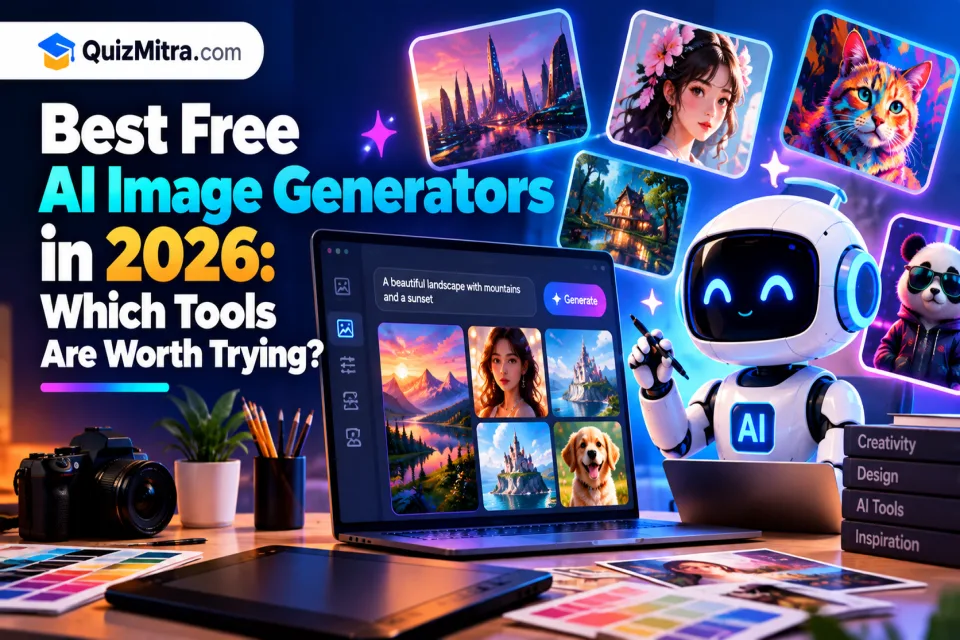
Creating high-quality images no longer requires expensive design software or advanced graphic design skills. With an AI image generator, you can describe an idea in everyday language and turn it into artwork, illustrations, blog graphics, product concepts, or social media visuals.
But with so many tools available, choosing the right one can be confusing. Some are better at realistic images, others excel at creative artwork, and some focus on editing existing photos rather than generating images from scratch.
In this guide, we explore the best free AI image generators in 2026, compare their strengths, explain their free-plan limitations, and help you choose a tool for your specific needs.
Whether you are a student, blogger, content creator, designer, small-business owner, or someone experimenting with AI art, this list will help you get started without immediately paying for a subscription.
Table of Contents
- Best Free AI Image Generators at a Glance
- Adobe Firefly
- Krea AI
- Ideogram
- Leonardo AI
- Pixlr
- DeepAI
- Perchance AI Image Generator
- SeaArt AI
- Canva AI Image Generator
- Google Gemini
- How to Choose the Right AI Image Generator
- AI Image Prompts You Can Try
- Free Plan Limitations to Understand
- Frequently Asked Questions
Best Free AI Image Generators in 2026: Quick Comparison
Start with this comparison to find tools worth testing for your particular project. Free access does not necessarily mean unlimited generations or access to every model.
| AI Tool | Best For | Free Access |
|---|---|---|
| Adobe Firefly | Image generation and creative editing | Limited daily generations |
| Krea AI | Creative exploration and image enhancement | Free access with limits |
| Ideogram | Typography, posters, and graphic concepts | Free tier with usage limits |
| Leonardo AI | Illustrations, concept art, and visual assets | Limited free tokens or usage |
| Pixlr | AI image editing and design | Limited free AI features |
| DeepAI | Simple image generation and experimentation | Free features with restrictions |
| Perchance | Casual AI art experiments | Free access; check current conditions |
| SeaArt AI | Anime, characters, and stylized artwork | Free usage with limits |
| Canva | Social media and marketing designs | Limited AI usage on eligible plans |
| Google Gemini | Prompt-based image creation and editing | Availability and limits vary |
Plan note: Free allowances, supported models, commercial-use terms, and regional availability can change. Confirm the latest details on each provider's official website before relying on a tool for ongoing work.
1. Adobe Firefly — Best for Creative Image Generation and Editing
Adobe Firefly is an AI-powered creative platform for generating and editing visual content. It is particularly useful for people who want to move beyond generating an image and continue refining it for a design project.
You can use image-generation features to explore visual concepts and editing tools to change backgrounds, expand images, or modify selected parts of a composition. The available features depend on the model and plan you use.
Key Features
- Prompt-based image generation.
- Generative Fill and image expansion features.
- Creative editing and background changes.
- Integration with Adobe's creative ecosystem.
- Access to selected AI models and creative workflows.
Best for: Bloggers, designers, marketers, and businesses that need images they can refine for professional creative projects.
Free plan: Adobe provides limited free daily generations. More usage and selected premium capabilities may require a subscription or credits.
What to watch: Different models and features may use different credits or have different terms. Check the usage rights for the specific output and intended use.
2. Krea AI — Best for Creative Exploration and Image Enhancement
Krea AI offers creative AI tools for image generation, experimentation, and enhancement. It can help you explore different visual directions before deciding which concept to develop further.
This makes it useful when you know the general appearance you want but have not settled on the final composition, color palette, or artistic style.
Key Features
- AI image generation.
- Creative visual exploration.
- Image enhancement and upscaling options.
- Style and composition experimentation.
- Additional creative tools depending on the current plan.
Best for: Designers, artists, content creators, and anyone exploring several visual concepts for one project.
Free plan: Free access is available with usage restrictions. The available tools and generation limits may change.
What to watch: Check export resolution, available enhancement features, and usage limits before making Krea part of a regular production workflow.
3. Ideogram — Best for Posters, Typography, and Graphic Concepts
Ideogram is an AI image-generation platform worth trying when your design needs more than an attractive background. It is known for workflows involving typography, posters, graphic concepts, and text-led visuals.
For example, you might use it to develop a promotional poster, a campaign concept, a thumbnail idea, or a design featuring a short headline. Generated text still needs careful inspection because letters, spacing, and wording may not always be correct.
Key Features
- Text-to-image generation.
- Poster and graphic design concepts.
- Multiple visual styles and compositions.
- Image variations and iterative prompting.
- Additional editing features depending on the current offering.
Best for: Social media creators, marketers, bloggers, and designers creating typography-heavy visuals.
Free plan: A free tier has been offered, but generation allowances, queue priority, and available features can change.
What to watch: Proofread every headline and check whether the output is suitable for the intended dimensions before publishing.
4. Leonardo AI — Best for Illustrations and Concept Art
Leonardo AI provides AI image-generation and creative tools that can help users develop illustrations, characters, environments, and other visual assets.
It can be useful for exploring the appearance of a game character, creating concept artwork, developing a fantasy environment, or experimenting with different art directions for a digital project.
Key Features
- AI-generated illustrations and concept images.
- Multiple artistic styles.
- Image variations and creative refinement.
- Image editing and enhancement features.
- Additional model and workflow options depending on the plan.
Best for: Digital artists, game developers, illustrators, and creators who want more control over the visual direction of an image.
Free plan: Limited free usage has been offered through a token-based system. Confirm the current allocation and restrictions before starting a large project.
What to watch: Check the terms that apply to your plan, especially if you intend to use generated assets commercially or as part of a product.
5. Pixlr — Best for AI Image Editing and Quick Designs
Pixlr combines browser-based image editing with AI-powered creative features. It is useful when you need to generate a visual, improve an existing image, remove an unwanted object, or prepare a graphic for online publishing.
Rather than relying entirely on text-to-image generation, you can use editing tools to adjust an image that you already have.
Key Features
- Browser-based photo editing.
- AI image generation and editing features.
- Background removal and object-editing options.
- Templates and design tools.
- Quick visual adjustments for digital content.
Best for: Small-business owners, students, bloggers, and social media creators who want a practical editing workflow.
Free plan: Free tools are available, while some AI features, usage allowances, or advanced options may require payment.
What to watch: Check the current export limits and available features before editing a large collection of images.
6. DeepAI — Best for Simple Image Generation and Experimentation
DeepAI provides accessible AI tools, including image-generation capabilities. It is an option for people who want to experiment with prompts without beginning with a complex professional design workflow.
You can try simple ideas, explore different concepts, and learn how changes in a text prompt influence the generated result.
Key Features
- Prompt-based image generation.
- Creative experimentation.
- Additional AI tools beyond image generation.
- Developer-oriented services and API options on applicable offerings.
Best for: Beginners, students, developers, and people testing basic AI image-generation workflows.
Free plan: Some features can be used for free, but speed, output options, usage allowances, and advanced features may be restricted.
What to watch: Compare image quality and output controls against your project requirements. A simple generator may not provide all the controls needed for professional production.
7. Perchance AI Image Generator — Best for Casual AI Art Experiments
Perchance AI Image Generator is worth exploring if you want a simple way to experiment with text prompts and generate creative images.
It can be useful for brainstorming characters, fantasy scenes, unusual concepts, or visual ideas before moving to a more advanced editing tool.
Key Features
- Prompt-based image creation.
- Creative and illustrative concepts.
- Simple experimentation with descriptive prompts.
- Community-created generators and related creative tools.
Best for: Hobbyists, beginners, and creators who want to experiment with AI art.
Free plan: Perchance has offered free-to-use image-generation experiences. Confirm the current generator's operating conditions and terms.
What to watch: Do not assume every generator on the platform has identical privacy, quality, licensing, or commercial-use terms. Review the specific service before using its output professionally.
8. SeaArt AI — Best for Anime, Characters, and Stylized Artwork
SeaArt AI offers creative image-generation workflows and a community-oriented environment for exploring different visual styles.
It may be especially appealing if you are interested in anime-inspired artwork, stylized characters, fantasy illustrations, or experimenting with different artistic appearances.
Key Features
- AI image generation.
- Stylized illustrations and character concepts.
- Community-driven model and style discovery.
- Image variations and creative workflows.
Best for: Anime enthusiasts, illustrators, character designers, and creators exploring stylized artwork.
Free plan: Free access may include daily or other usage limits, depending on the current offering.
What to watch: Review the licensing and restrictions of the specific model or content workflow you use. Do not assume that all community models permit commercial use.
9. Canva AI Image Generator — Best for Social Media and Marketing Graphics
Canva combines design templates with AI-powered creative features. It is useful when the goal is not just to create an image, but to turn that image into a finished social media post, presentation, poster, or marketing design.
For example, you can develop a visual concept and then place it into a design with a headline, supporting text, branding, and other elements.
Key Features
- AI-assisted image creation.
- Templates for social posts and presentations.
- Design editing and text placement.
- Branding and layout tools.
- Additional AI features depending on the plan.
Best for: Social media managers, educators, marketers, bloggers, and small businesses.
Free plan: Canva offers free design features and limited AI access, while usage allowances and premium features depend on the current plan.
What to watch: Check the current AI usage limits and licensing terms. Also inspect generated text and image details before publishing your design.
10. Google Gemini — Best for Prompt-Based Image Creation and Editing
Google Gemini can help users create and edit images through conversational prompts, where image-generation features are available to their account.
Instead of describing every adjustment from scratch, you can refine an idea over several prompts. For example, you might request a different background, a new visual style, or changes to the composition of an existing image.
Key Features
- Conversational image-generation workflows.
- Prompt-based image editing where supported.
- Iterative refinement of visual ideas.
- Integration with Google's AI assistant experience.
Best for: Beginners, students, and creators who prefer refining images through conversation.
Free plan: Free access may be available, but generation limits, model access, and supported features can vary by region, account, and plan.
What to watch: Check the current image-generation availability for your account. Review the final image for visual errors, incorrect text, and unexpected changes to important details.
How to Choose the Right Free AI Image Generator
The best tool is the one that fits your project, not necessarily the one with the most features. Use the following guide to narrow your choices.
For Blog Featured Images
Look for tools that support the visual style and dimensions your website needs. Adobe Firefly, Krea, Leonardo AI, and Gemini are options to test for concept creation. You may need a separate editor to add precise headlines and branding.
For Social Media Posts and Posters
Try Ideogram for typography-led concepts and Canva for layouts, templates, and final design assembly. Always proofread text inside generated images.
For Anime and Digital Art
Explore Leonardo AI and SeaArt AI for stylized characters and illustrations. Test different prompts and check the licensing terms of the selected model.
For Photo Editing
Pixlr and Adobe Firefly are worth exploring when you need to modify an existing image, remove or replace elements, or create a variation of a visual.
For Beginners
Start with a tool that makes it easy to enter a prompt, preview results, and refine your request. Gemini, Canva, and DeepAI are options to test, depending on the features available to your account.
For Commercial Projects
Read the provider's current terms before using an image in paid advertising, client projects, products, or other commercial work. Check model-specific restrictions, rights to uploaded images, and whether the output needs additional review.
5 AI Image Prompts You Can Try
A good prompt gives the generator a clear subject, visual style, composition, lighting, and intended use. Start with a simple description and add details when the result needs improvement.
1. Blog Featured Image
Create a polished 3D technology illustration for a blog about artificial intelligence. Show a modern laptop, a glowing AI orb, colorful image thumbnails, and creative tools floating around the screen. Use clean composition, cinematic lighting, realistic materials, soft shadows, and a professional navy, orange, and white palette. Wide