Students in the United States have more ways than ever to use artificial intelligence for learning, research, writing, and productivity. From understanding difficult concepts to organizing class notes and practicing programming, AI tools can help students make better use of their study time.
However, not every AI tool is designed for the same purpose. Some explain concepts, some help students discover research sources, and others specialize in writing feedback, coding assistance, mathematics, or presentations.
In this guide, we explore the best AI tools for students in the USA in 2027, including free options and tools with additional paid features. You will learn what each tool does, who should consider using it, and how to use AI responsibly in school or college.
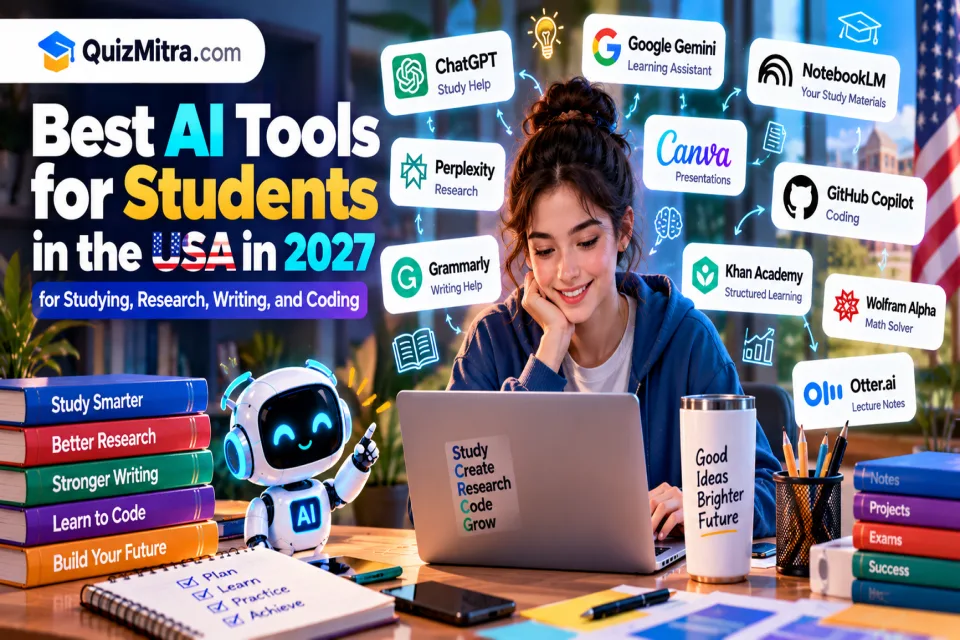
Quick answer: ChatGPT and Google Gemini are useful general-purpose study assistants, NotebookLM can help students study their own materials, Perplexity supports research discovery, Grammarly helps improve writing, Canva supports presentations, and GitHub Copilot can assist with coding practice.
Editorial note: This guide is prepared ahead of 2027. AI features, student discounts, pricing, and free-plan limits may change. Verify current details on official websites before signing up.
Table of Contents
Why Students Use AI Tools
School and college students often need to balance classes, assignments, exams, projects, research, and extracurricular activities. AI tools can support these tasks when they are used as learning aids rather than replacements for independent thinking.
Common uses of AI in education include:
- Understanding concepts: Get a difficult topic explained in simpler language or through examples.
- Research: Discover useful sources and organize background information.
- Writing: Improve grammar, clarity, structure, and readability.
- Exam preparation: Generate practice questions, flashcards, and revision plans.
- Mathematics: Explore worked examples and check problem-solving approaches.
- Coding: Understand programming concepts, debug practice code, and learn from examples.
- Productivity: Organize notes, summarize permitted study materials, and plan assignments.
The most effective approach is to choose a tool based on a specific learning need. Students do not need to subscribe to every AI product to build a useful study routine.
10 Best AI Tools for Students in the USA in 2027
The following tools cover different student needs, from general study assistance to research, writing, math, coding, and learning resources. They are organized by their primary use cases, not by a guarantee that one tool is best for every student.
1. ChatGPT — Best for General Study Help
Official website: ChatGPT
ChatGPT is a general-purpose AI assistant that can help students understand unfamiliar subjects, practice concepts, brainstorm project ideas, and organize study plans. Students can ask follow-up questions to explore a topic at their own pace.
For example, a biology student could ask for a simple explanation of cellular respiration, request an analogy, and then practice with questions that test their understanding.
Key uses:
- Explaining difficult concepts in simpler language.
- Creating practice questions and revision plans.
- Helping organize essay outlines and project ideas.
- Reviewing study notes and supported files.
- Practicing questions before an exam.
Best for: High school students, college students, and learners who need help across several subjects.
Free-plan considerations: ChatGPT offers free access, with usage and feature limits that may apply. Paid plans can provide additional capabilities. Check the current plan details before relying on a particular feature.
Our verdict: ChatGPT is a useful starting point for everyday study support. Ask it to explain the reasoning behind an answer instead of simply requesting a finished assignment.
2. Google Gemini — Best for Study Assistance and Google Workflows
Official website: Google Gemini
Google Gemini is an AI assistant that can help students brainstorm, understand topics, summarize information, and work through questions. Depending on account eligibility and available integrations, some AI capabilities can also support workflows involving Google's productivity tools.
A student preparing for a history exam could ask Gemini to explain a historical event, identify key themes to revise, and generate practice questions for self-testing.
Key uses:
- Explaining concepts and answering study questions.
- Brainstorming project and presentation ideas.
- Helping organize revision material.
- Assisting with supported document and productivity workflows.
- Creating practice questions for review.
Best for: Students who want a general AI assistant, especially those who already use Google services.
Free-plan considerations: Some Gemini features are available without a paid subscription, while advanced models and additional capabilities may require an eligible plan. Student promotions, if available, have separate eligibility requirements and deadlines.
Our verdict: Explore Gemini if you want a flexible assistant for explanations, brainstorming, and everyday study tasks.
3. NotebookLM — Best for Studying Your Own Notes and Sources
Official website: NotebookLM
NotebookLM is a research and learning tool that works with sources you provide. It can help students organize course readings, lecture notes, documents, and other supported materials into a more manageable study resource.
Instead of asking a general AI assistant to answer a question from broad background knowledge, students can use NotebookLM to explore the materials they have collected for a specific class or project.
Key uses:
- Summarizing supported documents and study materials.
- Finding important themes in course readings.
- Generating study questions from provided sources.
- Organizing information for revision.
- Reviewing material before quizzes and exams.
Best for: College students, researchers, and learners working with multiple readings or lengthy documents.
Free-plan considerations: NotebookLM offers access with usage and source limits that may change. Check supported file types and current account limits before uploading large collections of materials.
Our verdict: NotebookLM is worth exploring when you need to study a specific collection of notes, readings, or reference documents.
4. Perplexity — Best for Research and Source Discovery
Official website: Perplexity
Perplexity is an AI-powered answer and research tool designed to help users explore questions and discover supporting sources. It can be useful at the beginning of a research project when you need an overview of a subject and want to investigate the sources behind the answer.
For example, a college student researching renewable energy could use Perplexity to discover relevant reports, identify different perspectives, and locate sources for further reading.
Key uses:
- Discovering sources for research topics.
- Exploring unfamiliar subjects.
- Finding background information and related questions.
- Comparing explanations from cited sources.
- Developing a starting outline for further research.
Best for: College students, graduate students, and learners preparing research-based assignments.
Free-plan considerations: Perplexity offers free access with limits on certain features and advanced research capabilities. Check current usage restrictions before using it for a large research project.
Our verdict: Perplexity is useful for research discovery, but always open the original sources and confirm that they support the claims you plan to use.
5. Grammarly — Best for Grammar and Writing Clarity
Official website: Grammarly
Grammarly helps students review grammar, spelling, punctuation, clarity, and writing style. Its available AI-assisted features can also help users revise and improve drafts, depending on the plan.
Students can use it to identify unclear sentences, correct writing errors, and make their own work easier to read. It is particularly useful when preparing essays, emails to instructors, reports, and other academic writing.
Key uses:
- Checking grammar and spelling.
- Improving sentence clarity and readability.
- Reviewing tone and word choice.
- Finding awkward or confusing phrasing.
- Supporting proofreading before submission.
Best for: Students writing essays, reports, applications, and other academic documents.
Free-plan considerations: Grammarly offers free writing assistance, while advanced features and AI usage may be restricted by plan.
Our verdict: Use Grammarly as a proofreading aid, but make sure the final writing reflects your own ideas and follows your instructor's rules on AI assistance.
6. Canva — Best for Presentations and Visual Projects
Official website: Canva
Canva is a design platform that helps students create presentations, posters, infographics, diagrams, and other visual materials. Its templates and AI-assisted design features can make it easier to turn research or project information into a clear visual format.
A student preparing a science project, for example, could use Canva to design an infographic that explains a process or create slides for a classroom presentation.
Key uses:
- Creating class presentations and slides.
- Designing infographics and posters.
- Preparing project visuals.
- Organizing information into diagrams.
- Creating visual study summaries.
Best for: Students who regularly prepare presentations, group projects, posters, or other visual assignments.
Free-plan considerations: Canva provides free design tools and templates. Certain premium assets, AI features, and advanced capabilities may require a paid plan.
Our verdict: Canva is a practical choice when you need to communicate information visually rather than relying on long blocks of text.
7. GitHub Copilot — Best for Learning Programming
Official website: GitHub Copilot
GitHub Copilot is an AI coding assistant that can help developers and students understand code, generate suggestions, and work through programming tasks. It can be useful when learning a new language or practicing projects.
For example, a computer science student could ask for help understanding a JavaScript function, explore why a test fails, or request an explanation of a code snippet.
Key uses:
- Exploring code suggestions and examples.
- Understanding unfamiliar programming syntax.
- Debugging practice projects.
- Writing and reviewing tests.
- Learning programming workflows inside supported development tools.
Best for: Computer science students, software engineering students, and independent learners developing coding skills.
Free-plan considerations: GitHub Copilot has offered free access options and a student benefit for eligible verified students. Availability, eligibility, and usage limits can change, so check the official program details.
Our verdict: Copilot can support coding practice, but students should understand and test suggested code instead of copying solutions they cannot explain.
8. Khan Academy — Best for Structured Learning and Practice
Official website: Khan Academy
Khan Academy provides educational lessons, practice exercises, and learning resources across a range of subjects. It is not simply a general-purpose AI chatbot; its structured learning materials can help students build understanding step by step.
Students can use its lessons and exercises to reinforce classroom learning, revisit difficult concepts, and practice foundational skills.
Key uses:
- Reviewing mathematics and science concepts.
- Practicing skills through exercises.
- Learning at an individual pace.
- Revisiting lessons before tests.
- Using available educational guidance and tutoring features.
Best for: School students and learners who benefit from structured lessons and guided practice.
Free-plan considerations: Khan Academy's core learning resources are available free of charge. Its AI tutoring product, Khanmigo, has separate eligibility, availability, and pricing conditions.
Our verdict: Consider Khan Academy when you need structured lessons and practice rather than an open-ended conversation with an AI assistant.
9. Wolfram Alpha — Best for Mathematics and Technical Subjects
Official website: Wolfram Alpha
Wolfram Alpha is a computational knowledge tool that can help with mathematics, equations, scientific questions, and selected technical calculations. It is useful when students need to investigate a mathematical expression or check a calculation.
For example, a student studying calculus could use it to explore a derivative or investigate a mathematical expression while learning the underlying method.
Key uses:
- Exploring equations and mathematical expressions.
- Checking calculations.
- Investigating functions and graphs.
- Supporting selected science and engineering questions.
- Exploring additional solution steps where available.
Best for: Students studying mathematics, physics, engineering, and related technical subjects.
Free-plan considerations: Core queries are available free, while some detailed step-by-step solutions and advanced features may require a paid plan.
Our verdict: Use Wolfram Alpha to investigate mathematical problems, but make sure you understand the method and can reproduce the solution independently.
10. Otter.ai — Best for Lecture Notes and Meeting Transcription
Official website: Otter.ai
Otter.ai provides transcription and summarization features for supported recordings and meetings. It may help students organize discussions, review permitted recordings, and identify key points from lectures or group project meetings.
For example, a student working on a group assignment could use a permitted recording to create notes about decisions, responsibilities, and next steps.
Key uses:
- Transcribing supported audio recordings.
- Organizing meeting notes.
- Summarizing discussions.
- Identifying key points for later review.
- Helping manage group project discussions.
Best for: College students, group project teams, and learners who need help organizing permitted audio material.
Free-plan considerations: Otter.ai offers limited free access, with restrictions that may apply to transcription minutes, session lengths, and features. Check the current terms before using it regularly.
Our verdict: Otter.ai can help organize spoken information, but always follow your institution's recording rules and obtain permission where required.
AI Tools Comparison Table
Use this table to identify tools that match your learning needs. Free access does not mean unlimited usage, and feature availability can vary by account, age, institution, and subscription.
| AI Tool | Best For | Free Access | What to Check |
|---|---|---|---|
| ChatGPT | Study explanations and practice | Available with limits | Usage and feature limits |
| Google Gemini | General study assistance | Some free access | Account eligibility and advanced features |
| NotebookLM | Studying personal notes and sources | Available with limits | Source and usage limits |
| Perplexity | Research and source discovery | Available with limits | Advanced research limits |
| Grammarly | Grammar and writing clarity | Free writing assistance | Advanced writing and AI features |
| Canva | Presentations and visual projects | Free design tools | Premium assets and AI features |
| GitHub Copilot | Coding assistance | Eligible free options | Student verification and usage limits |
| Khan Academy | Lessons and practice | Core learning resources are free | Separate AI tutoring conditions |
| Wolfram Alpha | Math and technical calculations | Core queries available | Step-by-step solution access |
| Otter.ai | Lecture and meeting notes | Limited free access | Transcription and session limits |
Important: Student discounts and education plans may require verification through a school email, university account, or an eligibility provider. Confirm the terms on each official website rather than assuming every student qualifies.
Best AI Tools by Study Need
You do not need to use all ten tools. Choose one or two that support the subjects you are studying and the tasks you need to complete.
Best AI Tools for High School Students
ChatGPT or Gemini can help explain unfamiliar concepts, while Khan Academy provides structured lessons and practice. Canva can support visual assignments and classroom presentations.
Best AI Tools for College Students
NotebookLM can help organize course readings, Perplexity can support research discovery, and Grammarly can help review writing. Always check the requirements of each course before using AI on graded assignments.
Best AI Tools for Research Papers
Start with Perplexity or another research discovery tool to identify possible sources. Use NotebookLM to explore materials you have collected, and use ChatGPT or Claude for brainstorming and outlining where permitted. Confirm citations against original publications before including them in a paper.
Best AI Tools for Mathematics and Science
Wolfram Alpha can help explore calculations and mathematical expressions. ChatGPT or Gemini can explain concepts in simpler language, while Khan Academy offers structured learning and practice in supported subjects.
Best AI Tools for Computer Science Students
GitHub Copilot can assist with code suggestions, while ChatGPT or Gemini can explain programming concepts and help you reason through debugging. Test all generated code and make sure you understand the solution before using it.
Best AI Tools for Presentations and Projects
Canva is useful for designing slides and visual materials. ChatGPT or Gemini can help brainstorm a structure and explain a topic, while NotebookLM can help organize information from your permitted source material.
Best Free AI Tools for Students in the USA
If you have a limited budget, start with tools that offer useful free access for your particular study needs. You may not need a paid subscription to improve your study routine.
- For general questions: Try the free versions of ChatGPT or Google Gemini.
- For studying your own materials: Explore NotebookLM's available free features.
- For research discovery: Start with Perplexity's free access and verify the original sources.
- For writing: Use Grammarly's free writing assistance.
- For presentations: Try Canva's free design tools.
- For structured lessons: Use Khan Academy's core learning resources.
- For mathematics: Explore the free functionality of Wolfram Alpha.
- For coding: Check GitHub Copilot's current free and student eligibility options.
Before paying for an education plan, compare its additional features with the free version. Check whether your school or college already provides access to AI tools through an institutional account.
Tip for US College Students
Check your university's technology services, library resources, and student software benefits before purchasing an AI subscription. Some institutions provide access to software or education plans, but availability and eligibility vary.
How to Use AI Tools for Studying Effectively
AI is most useful when it helps you understand a topic and practice using what you have learned. The following workflow can help you get better results.
Step 1: Identify What You Need to Learn
Choose a specific topic or skill instead of asking an AI assistant to help with an entire course at once. A focused question makes it easier to evaluate whether the explanation is useful.
Step 2: Ask for an Explanation
Request a simple explanation, an example, or a step-by-step breakdown. Tell the tool your current level of understanding so it can tailor the response to your needs.
Step 3: Request Practice Questions
Ask the AI to generate practice questions based on your notes or syllabus. Try answering the questions yourself before requesting explanations or checking your answers.
Step 4: Verify Important Information
Use textbooks, assigned readings, official course materials, and reliable sources to check facts. For research assignments, open the original publications and confirm that quotations and citations are accurate.
Step 5: Summarize the Topic in Your Own Words
Write a short summary without copying the AI response. If you cannot explain the topic clearly, revisit the parts you do not understand and practice again.
Step 6: Follow Your Course Rules
Before using AI on a graded assignment, check the instructor's policy. Some courses allow AI for brainstorming or proofreading but prohibit generated answers, while others have different requirements.
Study tip: Ask AI to quiz you, explain mistakes, and give hints before revealing a complete solution. This encourages active learning rather than passive copying.
Academic Integrity and Responsible AI Use
AI can support learning, but using it improperly can create academic and privacy problems. Rules vary between schools, colleges, instructors, and individual assignments.
- Read your course policy: Confirm which AI uses are allowed before starting a graded assignment.
- Do your own thinking: Use AI explanations to develop understanding rather than submitting generated work as your own.
- Verify citations: AI tools can generate inaccurate references or misrepresent research findings.
- Protect personal information: Avoid uploading private student records, classmates' information, or confidential documents without authorization.
- Check the facts: AI-generated explanations can be incorrect, incomplete, or outdated.
- Disclose AI use when required: Follow your institution's rules on citations, acknowledgments, and disclosure.
- Review age restrictions: Some services have minimum-age requirements or additional conditions for younger users.
The goal should be to learn more effectively, not to bypass the learning process. Responsible AI use can help students build stronger understanding while preserving their own voice and academic integrity.
Frequently Asked Questions
1. What are the best AI tools for students in the USA in 2027?
Useful options include ChatGPT and Google Gemini for general study help, NotebookLM for working with study materials, Perplexity for research discovery, Grammarly for writing clarity, Canva for presentations, and GitHub Copilot for coding assistance. The best choice depends on your subject and learning goals.
2. What is the best free AI tool for students?
There is no single best tool for every student. ChatGPT and Gemini can help with general questions, NotebookLM can help organize source materials, Khan Academy provides free core learning resources, and Canva offers free design tools. Compare the current limits before choosing.
3. Can students use AI for homework?
That depends on the school's and instructor's policies. Some allow AI for explanations, brainstorming, or proofreading, while others restrict its use on graded work. Read the assignment instructions and ask your instructor if the rules are unclear.
4. Which AI tool is best for college research?
Perplexity can help discover sources, while NotebookLM can help students explore documents they have collected. Use scholarly databases and original publications to verify claims, and follow your institution's citation requirements.
5. Which AI tool is best for studying PDFs and class notes?
NotebookLM is designed to work with supported source materials and can help students summarize and explore their readings. Always confirm that the uploaded files are permitted and that the summaries accurately reflect the original documents.
6. Can AI tools help students prepare for exams?
Yes. AI assistants can generate practice questions, explain difficult concepts, and help create revision schedules. Combine these tools with official course materials and practice problems, and verify answers before relying on them.
7. Are AI tools safe for student data?
Privacy protections vary by service, account type, and settings. Read the provider's privacy policy and avoid sharing sensitive personal information, confidential school documents, or other data you are not authorized to upload.
8. Can AI tools help students learn coding?
Yes. GitHub Copilot and general-purpose AI assistants can explain code, suggest examples, and help debug practice projects. Students should test generated code, understand the solution, and follow their course's rules on AI-assisted programming.
9. Do US college students get free AI subscriptions?
Some providers offer education plans, student discounts, or limited-time promotions for eligible students. Offers may require enrollment verification and can expire or change. Check the official eligibility requirements and renewal terms before signing up.
10. Will AI replace traditional studying?
AI can make some study tasks easier, but it does not replace practice, critical thinking, reading, or independent problem-solving. Students still need to understand the material and demonstrate their knowledge without relying on an AI tool.
Final Verdict: Which AI Tools Should Students Try First?
The best AI study toolkit is one that helps you understand course material, practice important skills, and manage your workload without unnecessary subscriptions.
- ChatGPT: General explanations, practice, and brainstorming.
- Google Gemini: Study assistance and supported productivity workflows.
- NotebookLM: Exploring your own notes and source materials.
- Perplexity: Research discovery and source exploration.
- Grammarly: Grammar, clarity, and proofreading.
- Canva: Presentations and visual assignments.
- GitHub Copilot: Coding practice and programming assistance.
- Khan Academy: Structured lessons and practice exercises.
- Wolfram Alpha: Mathematics and technical calculations.
- Otter.ai: Supported transcription and meeting notes.
Start with one general-purpose study assistant and one specialized tool that matches your biggest challenge. Test the free features, confirm your school's AI policy, and upgrade only if additional features are genuinely useful.
Want to discover more AI-powered learning resources? Explore the QuizMitra AI Tools Directory to find tools for education, writing, coding, research, and productivity. You can also visit the QuizMitra AI News page to follow developments in artificial intelligence.
Disclaimer: This article is for informational and educational purposes only. AI features, pricing, student offers, and availability may change. Always verify information with the provider and follow your institution's academic integrity policy.
Explore more AI resources on QuizMitra:
Quiz Mitra — Learn. Play. Compete.