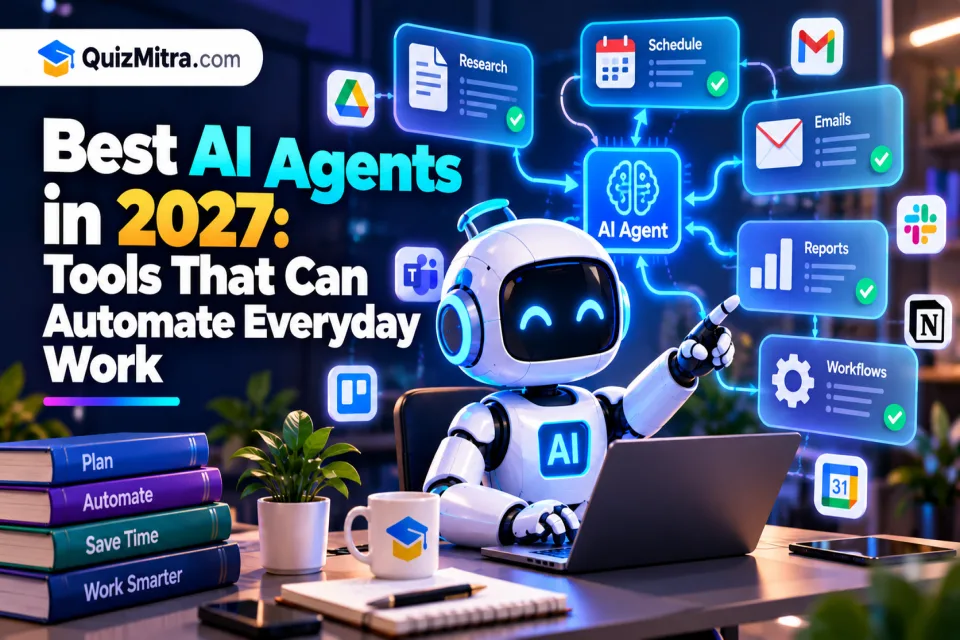
Artificial intelligence is moving beyond answering questions and generating content. The next major development is the rise of AI agents—systems designed to understand goals, plan steps, use supported tools, and complete multi-step tasks with varying levels of human supervision.
In 2027, AI agents are worth watching for their potential to automate everyday work, from researching information and organizing tasks to assisting with software development, customer support, and business operations. However, not every AI assistant is a fully autonomous agent, and the capabilities of individual products can change quickly.
In this guide, we explore AI agent tools to know, the tasks they can help with, their limitations, and how to choose the right solution for your needs.
Table of Contents
What Are AI Agents?
An AI agent is a software system that can work toward a defined goal by interpreting instructions, breaking work into steps, using available tools, and evaluating results. Depending on the product, it may search information, interact with connected applications, execute code, or request approval before taking an action.
A traditional chatbot generally responds to a prompt. An AI agent may go further by carrying out a sequence of related actions. For example, instead of simply suggesting how to prepare a weekly report, an agent with the appropriate permissions might gather data, summarize key changes, draft the report, and ask you to approve it before sending.
The level of autonomy varies. Some tools only suggest the next step, while others can execute approved actions through integrations. Always check what a product can actually access and do.
Best AI Agents to Watch in 2027
The following tools and platforms are worth exploring as the AI agent ecosystem develops. They serve different purposes, and inclusion here does not mean every product is a fully autonomous agent or that every feature described will be available in 2027. Check official documentation for current capabilities, pricing, and regional availability.
1. ChatGPT and Its Agent Capabilities
ChatGPT is useful for research, planning, writing, analysis, and working through multi-step tasks. Depending on the plan and features available, it may also support agent-style workflows that use tools to complete tasks rather than only generate a response.
Potential everyday uses:
- Researching a topic and preparing a structured summary.
- Drafting emails, reports, and project plans.
- Analyzing files and organizing information.
- Helping plan workflows and identify repetitive tasks.
Best for: General productivity, research, writing, and task planning.
Website: ChatGPT
2. Claude and Claude Code
Claude is an AI assistant suited to writing, analysis, document work, and software-related tasks. Claude Code focuses on coding workflows and can help developers understand a codebase, make changes, and run supported development tasks with appropriate permissions.
Potential everyday uses:
- Reviewing long documents and summarizing important points.
- Drafting and improving business content.
- Explaining unfamiliar code and suggesting fixes.
- Supporting multi-step software development workflows.
Best for: Writing, document analysis, and coding assistance.
Website: Claude
3. Google Gemini
Google Gemini can help with research, brainstorming, summarization, and working with supported content types. Its usefulness for automation depends on the features available in the product and the Google services or other applications connected to it.
Potential everyday uses:
- Summarizing information and generating ideas.
- Drafting documents and planning projects.
- Working with supported text, images, and other inputs.
- Assisting with tasks in compatible Google tools where integration is available.
Best for: General assistance and workflows involving supported Google services.
Website: Google Gemini
4. Microsoft Copilot
Microsoft Copilot offers AI assistance across supported Microsoft products and workflows. For organizations that already use Microsoft 365, connected features may help employees work with documents, meetings, email, and business information.
Potential everyday uses:
- Drafting and summarizing business documents.
- Preparing meeting summaries and follow-up lists.
- Helping organize work in supported applications.
- Reducing repetitive steps in Microsoft-based workflows.
Best for: Business productivity in Microsoft-based environments.
Website: Microsoft Copilot
5. GitHub Copilot
GitHub Copilot helps developers write, understand, and improve code. Depending on the product version and enabled features, it can also support agent-style development tasks, such as proposing changes across files and helping work through issues.
Potential everyday uses:
- Generating code suggestions and tests.
- Explaining functions and unfamiliar code.
- Helping investigate bugs and propose fixes.
- Supporting selected coding tasks within a development workflow.
Best for: Developers who want AI assistance inside their coding workflow.
Website: GitHub Copilot
6. Cursor
Cursor is an AI-focused code editor designed to help developers work with their projects using natural-language instructions and code-aware assistance. Its agent features can support multi-step coding tasks, subject to the editor's current capabilities and configured permissions.
Potential everyday uses:
- Understanding a project's structure.
- Making changes across related files.
- Generating tests and investigating errors.
- Speeding up routine development and refactoring.
Best for: Developers building and maintaining software projects.
Website: Cursor
7. Perplexity
Perplexity focuses on AI-assisted search and research. It can help users explore questions, find relevant sources, and organize information. Research-oriented capabilities may be useful for people who regularly need to compare information from multiple sources.
Potential everyday uses:
- Exploring a new topic before making a decision.
- Finding sources for reports and presentations.
- Comparing products, services, or approaches.
- Creating an initial research brief for further verification.
Best for: Research, source discovery, and information gathering.
Website: Perplexity
8. n8n
n8n is a workflow automation platform that connects applications and services. It can be used to build workflows that combine AI models, APIs, business rules, and human approval steps. This makes it useful for teams that want more control over how their automations operate.
Potential everyday uses:
- Sending notifications when a workflow reaches a defined condition.
- Moving information between connected applications.
- Processing form submissions and routing requests.
- Combining AI-generated content with review and approval steps.
Best for: Custom business automation and connected workflows.
Website: n8n
9. Zapier AI and Automation
Zapier connects supported applications and automates actions between them. Its AI-related capabilities can help users create or enhance workflows, while the platform's integrations make it useful for routine tasks that involve multiple services.
Potential everyday uses:
- Routing incoming leads to the right system.
- Creating tasks from form submissions.
- Sending alerts when specific events occur.
- Connecting AI steps with existing business processes.
Best for: Users who want to connect applications without building every integration from scratch.
Website: Zapier
10. Open-Source and Custom AI Agents
In addition to ready-made products, developers can build custom AI agents using model APIs, open-source frameworks, and workflow tools. These systems can be designed around a specific business process, such as internal knowledge search, support ticket classification, or data preparation.
Potential everyday uses:
- Searching approved internal documentation.
- Classifying and routing support requests.
- Preparing data for human review.
- Automating repeatable processes with clear rules.
Best for: Technical teams that need custom integrations, control, and tailored workflows.
Custom agents require careful development, testing, security controls, and ongoing maintenance. They are not automatically cheaper or more reliable than established tools.
Everyday Tasks AI Agents Can Automate
The most practical way to use AI agents is to begin with a repetitive task that has clear inputs and an easy-to-check result. The following examples illustrate where agent-style systems may help when the necessary integrations and permissions are available.
1. Email and Task Management
An agent can help categorize messages, summarize long conversations, draft replies, and turn requests into task lists. Sending messages, deleting content, or changing records should require suitable permissions and, where appropriate, human confirmation.
2. Research and Reporting
Research-focused systems can gather information from available sources, summarize findings, and prepare a first draft of a report. Users should verify important facts, dates, calculations, and citations before relying on the result.
3. Content Creation
AI agents can support content planning, outlines, first drafts, editing, and repurposing material for different channels. Human review remains important for originality, factual accuracy, brand voice, and publishing decisions.
4. Software Development
Coding agents can help inspect code, suggest changes, generate tests, and investigate errors. Changes should be reviewed, tested, and checked for security issues before they are deployed to production.
5. Customer Support
With access to an approved knowledge base, an AI system may draft responses, classify support tickets, and direct requests to the right team. Sensitive, unusual, or high-impact cases should be escalated to a person.
6. Business Workflow Automation
Connected automation platforms can move information between services, trigger notifications, and prepare routine records. Start with low-risk processes and introduce approval steps before allowing an agent to make consequential changes.
Practical tip: Do not automate an entire business process on day one. Start with one repetitive task, measure the time saved, verify the output, and expand only after the workflow proves reliable.
Benefits of Using AI Agents
- Less repetitive work: Automate predictable steps that consume time.
- Faster first drafts: Prepare summaries, reports, and content for review.
- Connected workflows: Link supported applications and services.
- Developer productivity: Get help with code exploration, tests, and debugging.
- More consistent processes: Apply defined instructions and rules to recurring tasks.
- Flexible assistance: Use general-purpose tools or create workflows for specific needs.
The real value depends on the task. A well-designed automation can save time, but a poorly configured agent may create extra work through incorrect results or unnecessary actions.
Limitations and Risks of AI Agents
AI agents are not perfectly reliable. They may misunderstand instructions, produce incorrect information, use a tool in an unexpected way, or fail when an external service changes. Greater autonomy can increase the consequences of these mistakes.
- Incorrect outputs: Check important facts, calculations, and generated content.
- Privacy concerns: Avoid sending confidential information to tools that are not approved for it.
- Excessive permissions: Give agents only the access required for their tasks.
- Unexpected actions: Require approval for payments, publishing, deletion, and other consequential operations.
- Changing costs: Check subscription limits, API usage, and integration charges.
- Maintenance needs: Review workflows when connected applications or business rules change.
For business use, keep logs where appropriate, test workflows with sample data, define clear stop conditions, and make it possible for a person to interrupt or reverse an action when feasible.
How to Choose the Right AI Agent
The best AI agent is not necessarily the one with the most features. Choose a tool based on the job you want to complete, the applications you already use, your budget, and the level of control you need.
- Define the task: Identify one repetitive activity with a measurable outcome.
- Check integrations: Confirm the tool can access the required apps, files, or APIs.
- Review autonomy: Understand which actions it can take and when it asks for approval.
- Compare costs: Review subscription fees, usage limits, and any additional integration costs.
- Test safely: Use sample data or a sandbox before connecting important systems.
- Measure results: Track time saved, accuracy, failure rate, and the amount of human review needed.
Quick Guide: Which Type Should You Try?
- Research and writing: Explore ChatGPT, Claude, or Perplexity.
- Google-oriented workflows: Explore Gemini and its currently supported integrations.
- Microsoft-based work: Explore Microsoft Copilot and compatible Microsoft 365 features.
- Coding: Compare GitHub Copilot, Cursor, Claude Code, and other coding assistants.
- Connected business processes: Explore n8n or Zapier.
- Custom requirements: Consider a purpose-built agent with limited permissions and appropriate safeguards.
What to Expect From AI Agents in 2027
The following developments are worth watching in 2027. They are trends to monitor, not guarantees that every product will deliver each capability.
1. More Multi-Step Task Execution
AI tools may become better at breaking a goal into steps, using supported applications, checking intermediate results, and asking for help when something goes wrong.
2. More Specialized Agents
Instead of relying on one general assistant for every job, people may increasingly use specialized systems for coding, research, customer support, analytics, and operations.
3. Better Integration With Existing Software
Agents will be more useful when they can securely work with the tools people already use. Permissions, integration quality, and reliable error handling will matter as much as the underlying AI model.
4. Human Approval and Oversight
Businesses will need ways to review proposed actions, track changes, restrict access, and stop automated workflows. Clear accountability will be important as agents take on more complex tasks.
5. Easier Workflow Building
Visual automation tools and natural-language interfaces may make it easier for non-developers to create useful workflows. Reliable results will still depend on good instructions, testing, and appropriate safeguards.
Final Verdict: Are AI Agents Worth Trying?
AI agents are worth exploring if you regularly perform repetitive digital tasks or coordinate work across multiple applications. Tools such as ChatGPT, Claude, Gemini, Microsoft Copilot, GitHub Copilot, Cursor, Perplexity, n8n, and Zapier offer different starting points for AI-assisted work and automation.
Begin with a clearly defined, low-risk task. Test the result, check the permissions, and measure whether the tool genuinely saves time. Treat full autonomy as something to validate carefully rather than assume.
To discover more options by category and use case, explore the QuizMitra AI Tools Directory. You can also browse the AI Prompt Library for prompts that help you get more useful results from AI tools.
Frequently Asked Questions
What is an AI agent in simple words?
An AI agent is a system that works toward a goal by interpreting instructions, planning steps, and using available tools. Its ability to take actions depends on its features and permissions.
What are the best AI agents to watch in 2027?
Tools worth watching include ChatGPT, Claude and Claude Code, Google Gemini, Microsoft Copilot, GitHub Copilot, Cursor, Perplexity, n8n, and Zapier. The best choice depends on your task and the capabilities available at the time.
Can AI agents automate everyday work?
Yes, they can help automate tasks such as summarizing information, drafting content, organizing requests, and connecting applications. The exact level of automation depends on integrations, permissions, and workflow design.
Are AI agents free to use?
Some tools offer free plans or limited access, while advanced features may require a paid subscription or API usage fees. Check the official pricing page before choosing a tool.
Are AI agents safe for business use?
They can be used responsibly when organizations control access, protect sensitive data, test outputs, maintain appropriate logs, and require human approval for high-impact actions. No agent should be assumed to be error-free.
Will AI agents replace human workers in 2027?
AI agents may automate parts of some jobs, but their reliability and suitability vary by task. Human judgment, domain knowledge, communication, accountability, and oversight will remain important, especially for complex decisions.
Explore more AI resources:
Quiz Mitra — Learn. Play. Compete.