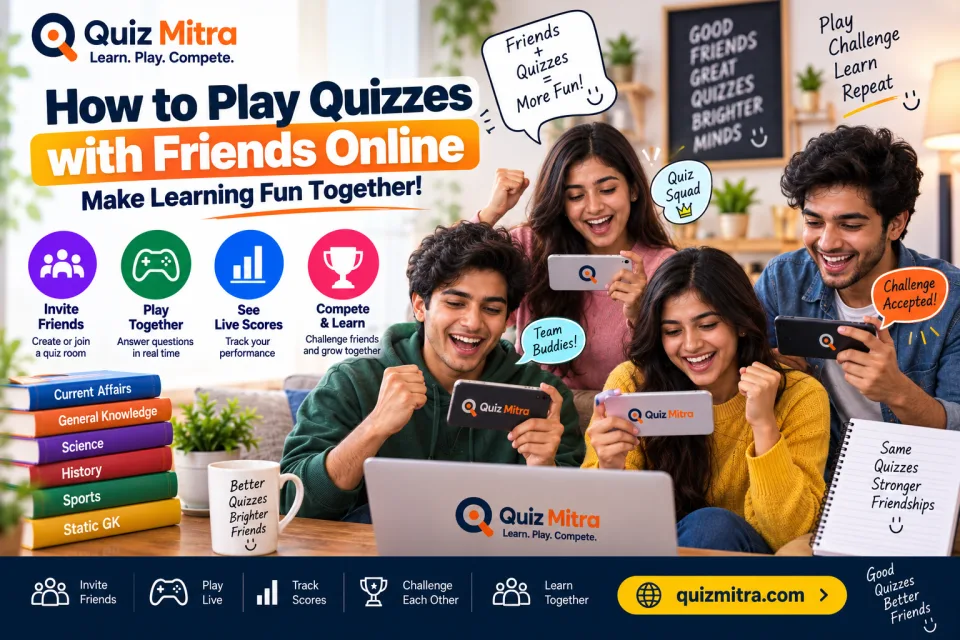
Want to make quiz practice more fun? With Quiz Mitra, you can create a private quiz room, invite your friends, play the same quiz together, and compete for the top position on a live leaderboard.
Instead of studying alone, you can turn your regular GK, Current Affairs, History, Science, SSC, Banking and Railway preparation into a friendly quiz competition.
Instead of studying alone, you can turn your regular GK, Current Affairs, History, Science, SSC, Banking and Railway preparation into a friendly quiz competition.
Table of Contents
1. Create a Quiz Room
Start by opening Quiz Mitra and selecting
Create a Room.
Choose the quiz category and the quiz you want to play with your friends. You can choose from different learning topics such as:
After selecting your quiz, create the room and get ready to invite your friends.
Choose the quiz category and the quiz you want to play with your friends. You can choose from different learning topics such as:
- General Knowledge
- Current Affairs
- Indian History
- Geography
- Science
- SSC
- Banking
- Railway
- Competitive Exams
After selecting your quiz, create the room and get ready to invite your friends.
2. Get Your Unique Room Code
Once the room is created, Quiz Mitra generates a unique
room code for your quiz.
For example:
Simply copy the room code and share it with the friends or study group you want to play with.
For example:
QZ7K9P
This unique code allows your friends to find and join your private quiz room.
Simply copy the room code and share it with the friends or study group you want to play with.
3. Invite Friends and Join the Room
Now it's time to invite your friends.
Your friends can select Join a Room and enter the unique room code you shared with them.
Once they enter the correct code, they can join the live waiting room and appear as players.
This makes it easy to organize a quick quiz competition with classmates, friends, colleagues, or online study groups.
Your friends can select Join a Room and enter the unique room code you shared with them.
Once they enter the correct code, they can join the live waiting room and appear as players.
This makes it easy to organize a quick quiz competition with classmates, friends, colleagues, or online study groups.
4. Wait Until Everyone Is Ready
The host can see the players who have successfully joined the room.
Once all your friends have joined and everyone is ready, the host can start the quiz.
A short countdown makes the beginning of the quiz more exciting:
Once all your friends have joined and everyone is ready, the host can start the quiz.
A short countdown makes the beginning of the quiz more exciting:
3 → 2 → 1 → START!
Now everyone is ready to compete.
5. Play the Quiz Together
Once the host starts the quiz, every player receives the same quiz questions.
Instead of taking a quiz alone, everyone answers the questions at the same time. This creates a real-time quiz competition where speed, accuracy and knowledge all matter.
You can use multiplayer quizzes for:
It also gives you a simple way to challenge your friends:
Instead of taking a quiz alone, everyone answers the questions at the same time. This creates a real-time quiz competition where speed, accuracy and knowledge all matter.
You can use multiplayer quizzes for:
- Daily GK practice
- Current Affairs revision
- Indian History practice
- SSC preparation
- Banking exam preparation
- Railway exam preparation
- Friendly quiz competitions
It also gives you a simple way to challenge your friends:
Who can score the highest?
6. Check the Live Leaderboard
After players answer the quiz questions, their scores can be compared through the leaderboard.
The leaderboard makes the experience more competitive because everyone can see how they performed compared with the other players.
For example:
The live leaderboard adds a friendly competitive element and can motivate players to improve their scores and perform better in the next quiz.
The leaderboard makes the experience more competitive because everyone can see how they performed compared with the other players.
For example:
| Rank | Player | Score |
|---|---|---|
| 🥇 1 | Rahul | 850 XP |
| 🥈 2 | Priya | 800 XP |
| 🥉 3 | Amit | 750 XP |
Why Play Quizzes with Friends?
Playing quizzes with friends can turn regular revision into a friendly challenge.
It can help you:
You don't need to spend hours studying every time. Even a 10–15 minute quiz challenge can become a useful part of your daily study routine.
Instead of simply reading notes, testing yourself can help you understand how much you actually remember.
It can help you:
- Test your knowledge
- Identify weak topics
- Revise important concepts
- Stay motivated
- Compete with friends
- Make learning more enjoyable
- Build a regular quiz practice habit
You don't need to spend hours studying every time. Even a 10–15 minute quiz challenge can become a useful part of your daily study routine.
Instead of simply reading notes, testing yourself can help you understand how much you actually remember.
Make Your Next Study Session a Challenge
Instead of asking your friends,
“How much did you study today?”
Try asking:
Create a room, share the code, invite your friends, and see who can reach the top of the leaderboard.
Whether you're preparing for competitive exams or simply want to have a fun knowledge challenge with your friends, multiplayer quizzes can make your practice sessions more engaging.
“How much did you study today?”
Try asking:
“Let's take a quiz and find out who scores the highest!”
Create a room, share the code, invite your friends, and see who can reach the top of the leaderboard.
Whether you're preparing for competitive exams or simply want to have a fun knowledge challenge with your friends, multiplayer quizzes can make your practice sessions more engaging.
Ready to Challenge Your Friends?
Create your quiz room, invite your friends, and start competing today.
Quiz Mitra — Learn. Play. Compete.
Start your next quiz challenge and find out who reaches the top of the leaderboard. 🧠🏆